Blender Basics: Complete 3D Beginners Course
Welcome to this beginner-friendly Blender 3D course!
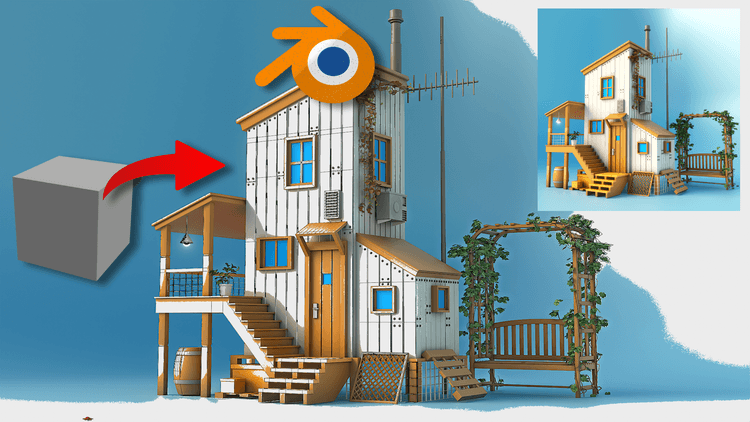
Welcome to this beginner-friendly Blender 3D course! If you’ve never used 3D software before, don’t worry—I’ll walk you through everything step by step. Learn Blender basics in just a few hours and turn a simple cube into a fully–textured 3D house. Whether you’re brand-new to 3D or switching from other software, this hands-on course guides you step by step through Blender’s essential tools—so you can start creating, rendering, and sharing your own models today. By the end of the course, you’ll have all the tools you need to build simple 3D models on your own—and we’ll even create a fun final project together to wrap it up.
What you’ll build & learn:
-
Blender setup & navigation – install Blender 4.x, customize the workspace, and move confidently in 3D space
-
Core modeling tools – master extrude, bevel, inset, and key modifiers to shape any object
-
Asset Browser workflow – reuse materials, meshes, to speed up production
-
Camera & lighting fundamentals – frame, move, and light your scene for portfolio-ready renders
-
Panels, shortcuts & best practices – work faster with industry-standard hotkeys and UI tips
-
Capstone project – follow along as we transform the default cube into a stylized wooden house, complete with textures, props, and a final render
Why learn Blender ?
Blender is 100 % free, open-source, and studio-approved, powering hit games, films, and product designs. Solid Blender skills open doors in:
-
Game design & development
-
3D animation & VFX
-
Architectural visualization
-
Product & industrial design
-
XR / Metaverse content creation
By the end of this Complete 3D Beginners Course, you’ll have the confidence to model your own assets, understand Blender’s production workflow, and render eye-catching images for portfolios, games, or client work.
Ready to start creating?
Click “Enroll Now” and join hands with 3D artists mastering Blender!